
Language Navi translates foreign language apps without root [Giveaway]

The post Language Navi translates foreign language apps without root [Giveaway] appeared first on BardTech.

Language Navi

Have you ever found a cool application that you wished was available in your own language? If your answer is yes, Language Navi has your back. The app helps you translate any application to any language that Google Translate supports. It works on-the-fly and you don’t need root or any kind of system modifications. It just uses built-in accessibility settings in the Android OS, plus some OCR (Optical Character Recognition) magic to recognize the text and Google Translate to translate it.

XDA Junior Member tachibanalab  released the app on Play Store about a month ago . It is absolutely free, but if you want to remove ads and unlock some advanced features (that the developer is working on), you’ll have to pay $2.99. Lucky for you, we have a 100 free promo codes to give away.
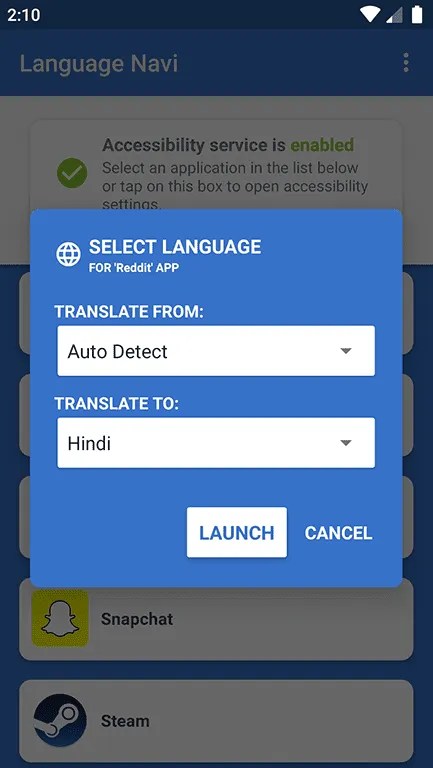

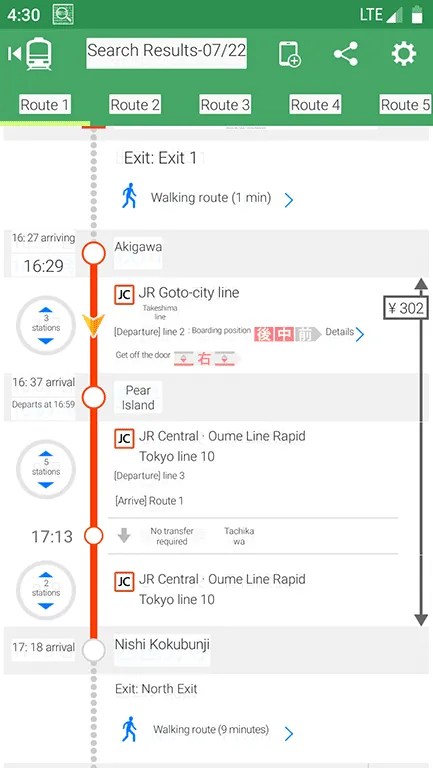
Since the initial release of the app, it has gained some new features. First of all, it now supports Android 6.0 Marshmallow. Originally, the app only worked on Android 8.0 Oreo and above. It’s good that the developer managed to backport the features. The application now also has 11 new languages, as well as various major and minor bug fixes. Language Navi’s Pro version can be bought via in-app purchase. It should be noted that the developer used XDA Translators group to translate the application into various languages.

The promo codes will be posted in the comments every five minutes or so. To redeem a code, go to the Play Store, open the menu and select “Redeem.” Paste in the code to get the app. Good luck!

Language Navi – Translator (Free+, Google Play) →

Original Content By XDA Developers

The post Language Navi translates foreign language apps without root [Giveaway] appeared first on BardTech.


Tags: Google Translate, Mini XDA, natural language, News, Translate, Translation, XDA Android, foreign, giveaway, language, translates, without

Original link: here
via BardTech

Comments

Popular posts from this blog

How to change the PIM of a VeraCrypt volume

The developers of VeraCrypt introduced Personal Iterations Multiplier (PIM) functionality in the encryption program in version 1.12 . PIM stands for "Personal Iterations Multiplier". It is a parameter that was introduced in VeraCrypt 1.12 and whose value controls the number of iterations used by the header key derivation function. PIM is used by volumes even if the creator of the volume did not specify a value. It is an optional component that improves security: it adds another step to the authentication process similarly to two-factor authentication. The main difference is that the PIM value is fixed and not generated on the fly when requested. An attacker needs to know the master password and the PIM, if not set to default, to breach the encryption successfully and access the content of the drive or partition. A couple of good reasons exist to change the PIM value: It was leaked or stolen. The default value is used and that is not as secure as using a custom PIM. Yo...

Huawei Mate 20 Pro launched in India with Kirin 980 for ₹69,990 ($988)

For years, the highest-end Android flagship used to be defined by Samsung’s Galaxy Note series as the “best-of-the-best” Android phones. Google entered the premium smartphone segment in 2016 with the Google Pixel . In addition, one company that has been steadily improving its flagship phones is Huawei. Huawei has also been steadily increasing the prices of its flagship phones at the same rate. Indian consumers, however, were left out as Huawei had not opted to launch any Mate series phone in India before. This year, as the company’s strategy has changed, high-end flagship smartphone buyers now have another option to choose from. The Huawei P20 Pro was launched in India in April . Now, Huawei has launched the Huawei Mate 20 Pro in India—the first ever launch of a Mate series phone in the country. The Huawei Mate 20 Pro is the successor of the Huawei Mate 10 Pro . It’s positioned as a higher-end variant of the standard Huawei Mate 20. It should be noted that Huawei didn’t launch the s...

The 5 Best Free IPTV Apps to Watch Live TV on Android

It’s easier than ever to watch on-demand TV shows and movies on your Android device. But what about live TV? Yes, there are services like Sling and PlayStation Vue. However, if you know where to look, you don’t need to subscribe to their expensive plans. You can use free IPTV instead; you just need an IPTV app and an IPTV source. What Is an IPTV App? IPTV apps are a bit like Kodi; they are empty shells that can’t stream any content without some user input. You have the responsibility for adding channels, playlists, and other sources. Typically, you cannot use the apps to watch Netflix, Hulu, or direct content from other third-party providers. Here, we’re not interested in the best on-demand streaming apps or places to watch TV online. We are only looking at the IPTV apps themselves. Specifically, we want to know what the best IPTV apps on Android are. 1. Lazy IPTV Our first pick is Lazy IPTV. It supports M3U playlists in open-view, ZIP, and GZ formats. The app can also read pl...