Android Messages tests integration with Google Assistant

The post Android Messages tests integration with Google Assistant appeared first on BardTech.

android messages google assistant

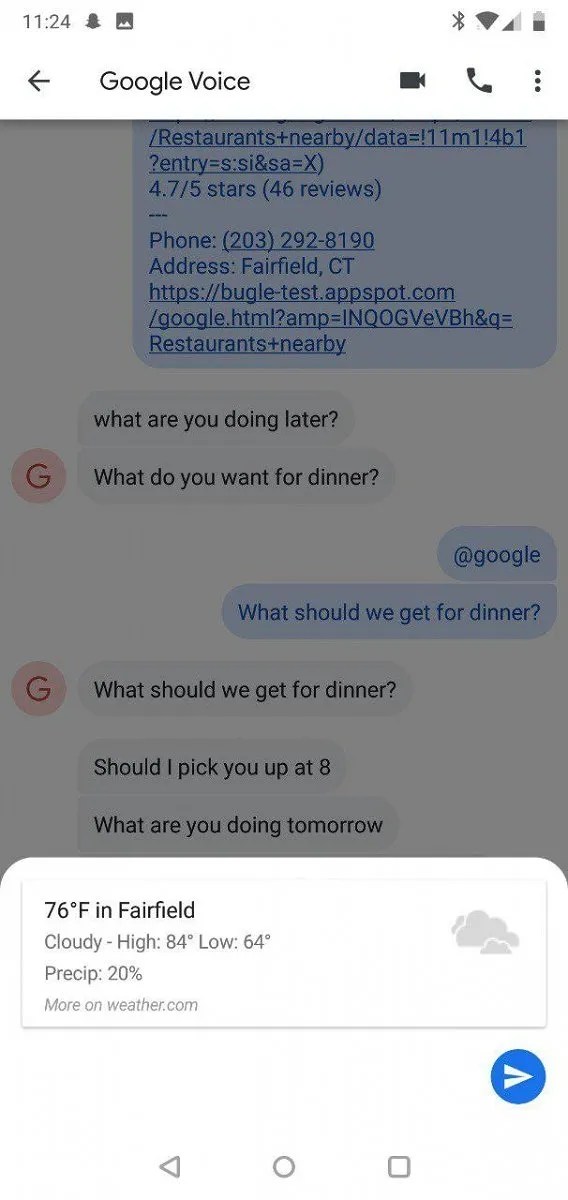
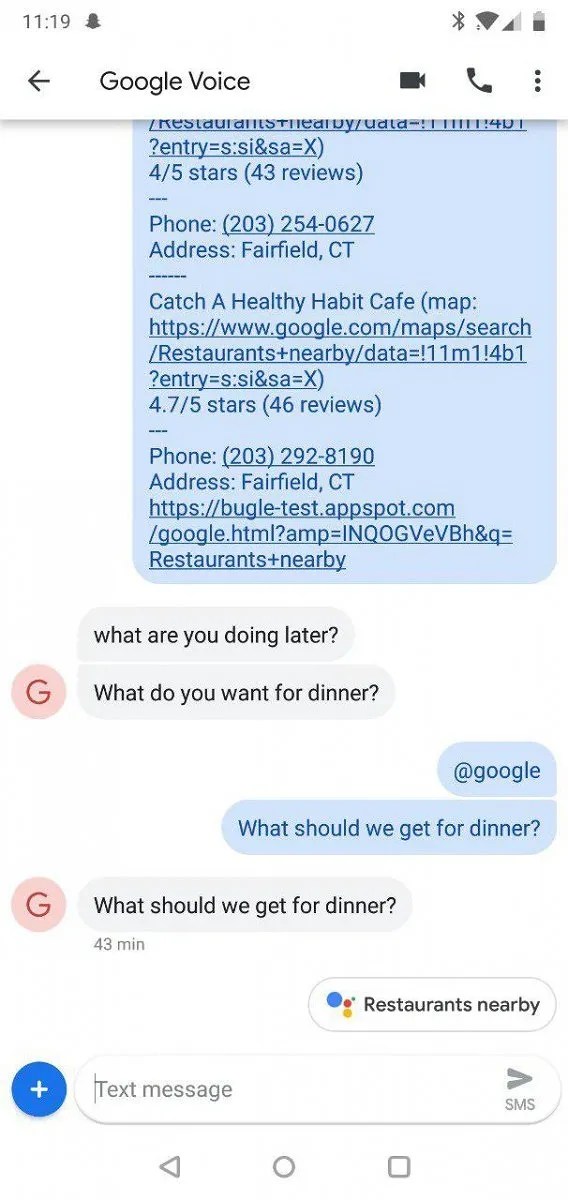
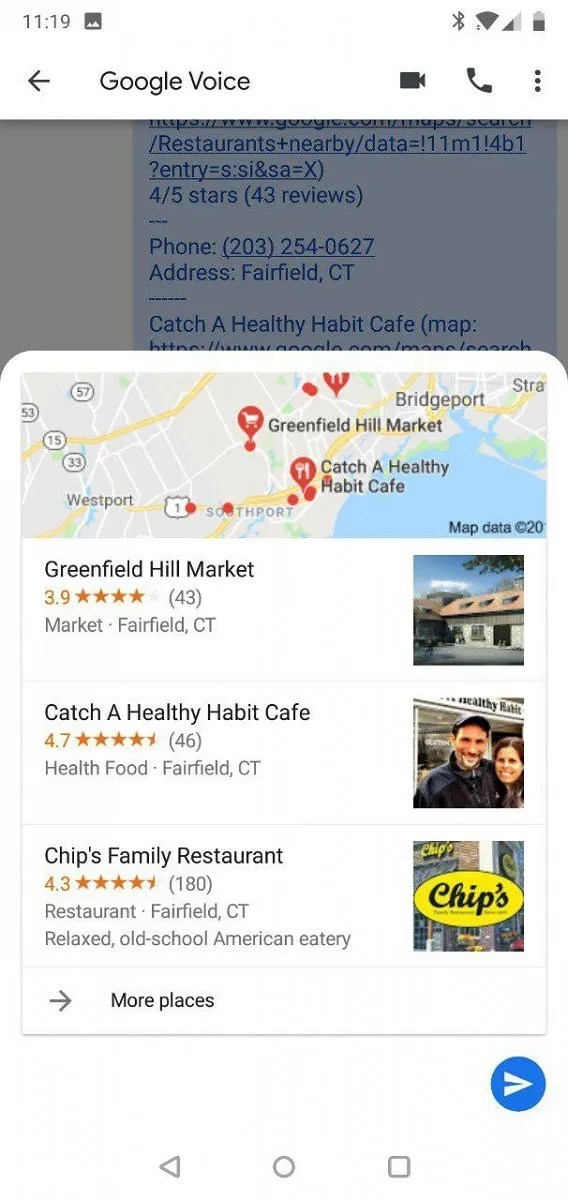
Google has been trying to push the Google Assistant as much as possible. It was first available in Google Allo a couple of years ago , but it has since made its way to the Google Home and other apps. Google is now integrating Google Assistant into Android Messages with suggested messages. This is going to work similarly to how Google Assistant in Allo worked, but without the ability to talk to Google Assistant directly. It will only suggest recommended things to say. I have so far been able to have it recommend weather and restaurants.
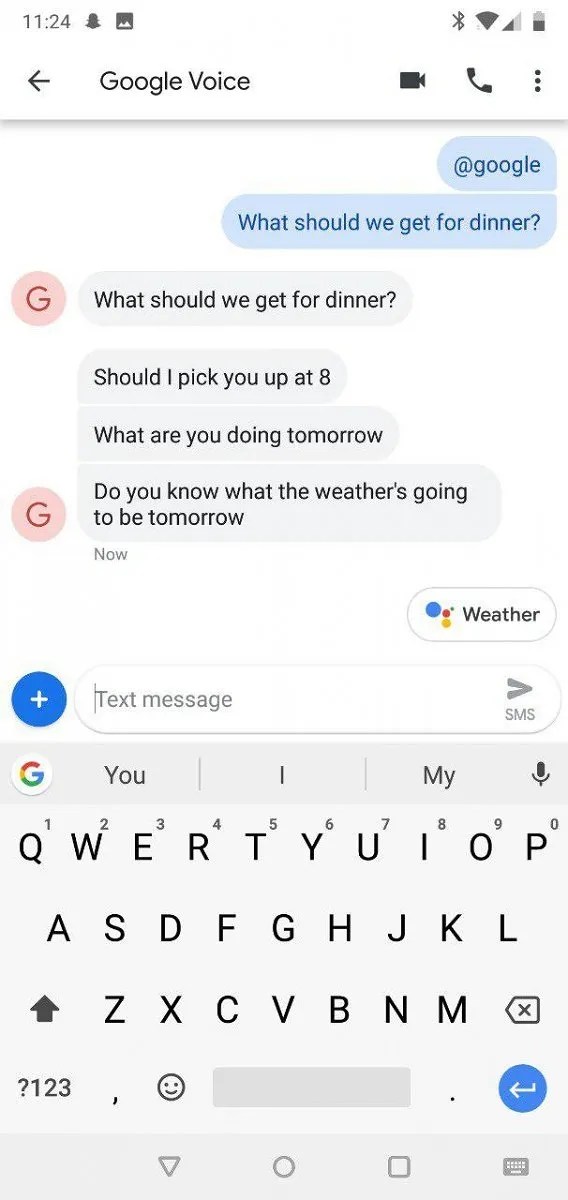


This was first enabled by XDA Recognized Developer Quinny899 , Kieron Quinn of Mighty Quinn Apps. We were then able to get it working ourselves. As you can see from the screenshots, I tested a lot of different messages to try to get Google Assistant to recommend something to say. Through my testing, I was able to have it show for nearby restaurants and the weather.

This seems like this matches Google’s plan to get rid of Google Allo . Google announced Chat not too long ago as a unified RCS standard across Android devices. Google started to port over some of the features from Allo like smart replies  and the web client . This is just another step towards turning Android Messages into what Google wanted Allo to be. These smart replies with Google Assistant are very helpful for recommendations or just something as basic as the weather. This is an early test of what Google will maybe release at some point, so the UI and features can change.

It is definitely nice to see that Google is trying to bring back the features that made Allo great. I personally enjoyed using Allo with the few friends who also had it installed. It was a great messaging app, but it was released into a very saturated market. RCS and Chat are going to be a standard in Android phones, just like SMS and MMS. These features are once again going to be able to be used by many, and it’s nice to see that.

Original Content By XDA Developers

The post Android Messages tests integration with Google Assistant appeared first on BardTech.


Tags: android chat, Android Messages, Google, Google Assistant, google chat, messaging, messaging apps, Mini XDA, News, RCS, RCS Messaging, Virtual Assistant, android, assistant, google, integration, messages, tests

Original link: https://ift.tt/2w6YSl5
via BardTech

Comments

Popular posts from this blog

How to change the PIM of a VeraCrypt volume

The developers of VeraCrypt introduced Personal Iterations Multiplier (PIM) functionality in the encryption program in version 1.12 . PIM stands for "Personal Iterations Multiplier". It is a parameter that was introduced in VeraCrypt 1.12 and whose value controls the number of iterations used by the header key derivation function. PIM is used by volumes even if the creator of the volume did not specify a value. It is an optional component that improves security: it adds another step to the authentication process similarly to two-factor authentication. The main difference is that the PIM value is fixed and not generated on the fly when requested. An attacker needs to know the master password and the PIM, if not set to default, to breach the encryption successfully and access the content of the drive or partition. A couple of good reasons exist to change the PIM value: It was leaked or stolen. The default value is used and that is not as secure as using a custom PIM. Yo...

The 5 Best Free IPTV Apps to Watch Live TV on Android

It’s easier than ever to watch on-demand TV shows and movies on your Android device. But what about live TV? Yes, there are services like Sling and PlayStation Vue. However, if you know where to look, you don’t need to subscribe to their expensive plans. You can use free IPTV instead; you just need an IPTV app and an IPTV source. What Is an IPTV App? IPTV apps are a bit like Kodi; they are empty shells that can’t stream any content without some user input. You have the responsibility for adding channels, playlists, and other sources. Typically, you cannot use the apps to watch Netflix, Hulu, or direct content from other third-party providers. Here, we’re not interested in the best on-demand streaming apps or places to watch TV online. We are only looking at the IPTV apps themselves. Specifically, we want to know what the best IPTV apps on Android are. 1. Lazy IPTV Our first pick is Lazy IPTV. It supports M3U playlists in open-view, ZIP, and GZ formats. The app can also read pl...

Realme U1 with MediaTek Helio P70 launched in India for ₹11,999

Realme is an emerging smartphone brand in India, with a focus on budget and early mid-range segments. Realme started off as an online-only sub-brand of OPPO, but then later on, became its own separate brand . Realme devices ar seen to undercut the competition on their price value, and hence, coming up as viable alternatives despite the infancy of the brand. To keep up the pressure, Realme has now launched the Realme U1, the first smartphone with MediaTek’s Helio P70 SoC , in India. Realme U1 is the first smartphone in the company’s U series, which in-turn is the lineup that will be focused on photography. The rest of the company’s lineup includes the C series, the numbered series and the Pro series. The Realme U1 is being touted as “India’s Selfie Pro”, mainly because of its front camera — a single 25MP Sony IMX576 sensor with an f/2.0 aperture and 1.8-micron pixels. There’s software features like an AI Beauty+ mode that is optimized for Indian complexions, a Smarter Groupie featur...